Peech
- 2.7
- Rating
- 50.00K
- Installs
- Free
- Price

 Analysis by App-foxy
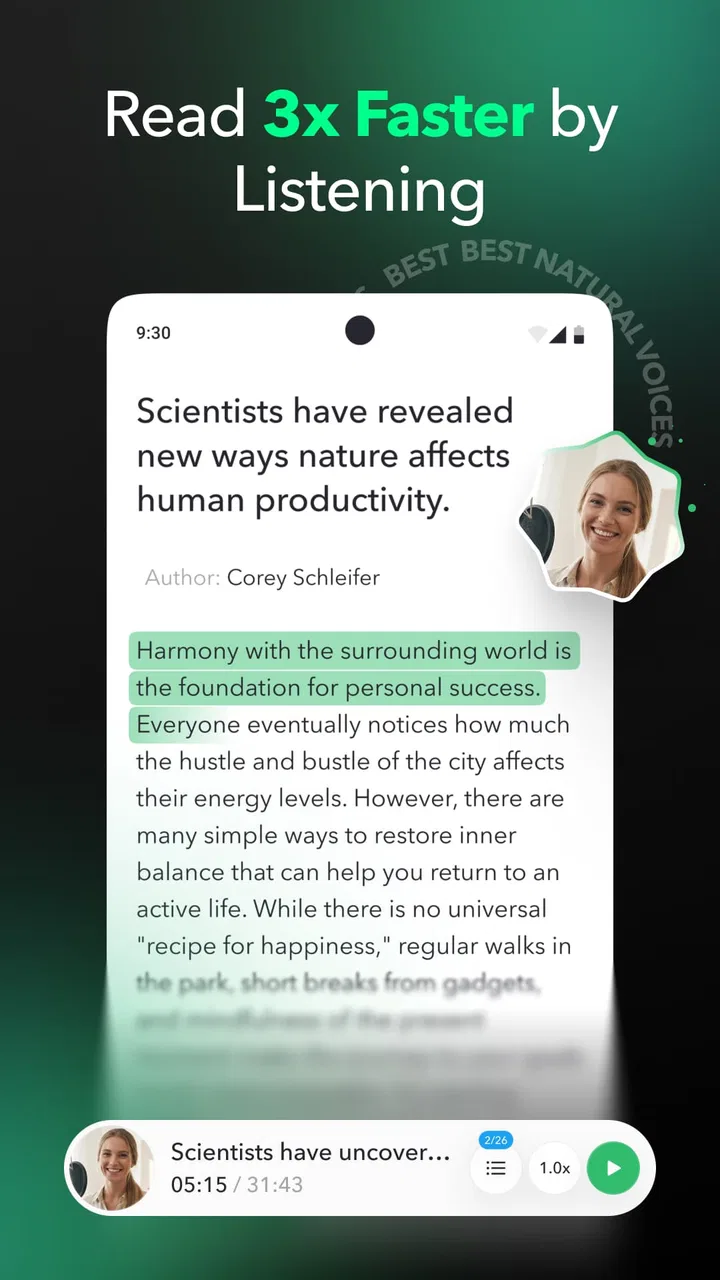
I approached Peech as a practical productivity tool rather than just another reading app. Its purpose is straightforward: turn books, articles, emails, PDFs, and documents into spoken content so I can listen when looking at a screen is inconvenient. That sounds simple, but the real value depends on how smoothly a file moves from its original location into a comfortable listening routine.
In my experience, this kind of app is most useful during ordinary gaps in the day. I can imagine using it while preparing breakfast, walking somewhere familiar, or tidying the house, then returning to the same material later when I have time to read. It does not replace careful reading for every task, especially when diagrams, tables, formatting, or close proofreading matter. Still, it offers a useful second way to consume text.
Peech is a free productivity app from Peech, with optional in-app purchases ranging from $3.99 to $99.99 per item. It is rated for Everyone and requires Android 10 or newer. The current release is version 3.1.0, and the app has passed 50K installs. Those details make it accessible to a broad audience, although the average rating of 2.7 from around 982 ratings suggests that the experience is not consistently smooth for everyone.
You May Also Like

 AccuWeather: Weather Radar
AccuWeather Review: A Quick, Clear Forecast for Everyday Decisions
For everyday plans, the best forecast is the one you can understand quickly. AccuWeather makes rain timing, radar, and local conditions easy to act on, with a few trade-offs.

 Hill Climb Racing
Why Hill Climb Racing Still Turns Crashes Into One More Run
A tiny car, a bumpy hill and one more upgrade: Hill Climb Racing keeps resurfacing because its simple chaos makes every near-miss feel personal.

 AliExpress - Shopping App
AliExpress Makes Global Shopping Feel Personal, but Shoppers Bear the Risk
AliExpress turns a global marketplace into a pocket-sized discovery engine. Its reach is useful, its shopping loop compelling, and its trade-offs easy to miss.

 Lords Mobile: Kingdom Wars
Lords Mobile Is a Kingdom-Building Routine, Not a Quick Match
A case-by-case verdict on the building, battles, device demands, and social commitments that make Lords Mobile rewarding for some players and exhausting for others.

 PDF Scanner app - TapScanner
TapScanner Makes Paperwork Easier to Capture, Check, and Share
TapScanner makes scanning with a phone feel less like a rescue operation and more like a dependable step in getting work done. Its capture tools are useful, though not flawless.

 Block Blast!
 Shows How Much a Puzzle Game Can Leave Out
A quiet grid game shows why puzzle players increasingly value instant clarity, repeatable skill and low-pressure play—and where the genre still needs to catch up.
More From Our News Desk
View All News


Getting past the first points of friction
I’d make the first test deliberately small: choose a clean article and check whether its text arrives in the right order before building a larger queue. That gives me a baseline for separating an awkward source file from a broader handoff problem, and it helps me judge the listening experience without investing much time. Once that works, I can move on to the kinds of material I actually want to hear.
Why the first attempt can feel less simple than expected
The store summary makes the idea easy to understand, but the first real test is usually not listening itself. It is getting the right text into Peech in a form the app can handle comfortably. A user may begin with an article in a browser, an email in a mail app, a PDF in cloud storage, or a document saved somewhere else on the phone. Each source has its own sharing and file-opening behavior.
My advice is to start with a short, clean piece of text instead of a long book or a complicated PDF. This creates a useful baseline. If a brief article works, I know the basic route is functioning before spending time organizing a larger reading project. It also makes it easier to notice whether a problem comes from the source file rather than from the reader.
When an import seems stuck, I would first close the source app and try the share action again. I would also check that the file is actually available on the device rather than still waiting to download. These are simple checks, but they prevent a common mistake: treating a cloud-storage delay or a browser handoff as an audio-generation problem.
A sensible setup routine
I would set up a small test workflow in this order:
Choose a short article or a simple document with ordinary paragraphs.
Open it from its original app and use the normal sharing or opening option.
Confirm that Peech receives the intended file or text, not merely a webpage shell or preview.
Start playback briefly and check whether the text is understandable before importing more material.
Only then move on to longer documents, books, or email-heavy reading.
This approach is more important with PDFs than with plain articles. A PDF can contain selectable text, scanned images, multi-column layouts, footnotes, or unusual spacing. Even when the file opens correctly, the spoken result may follow the document’s internal order rather than the order a person sees on the page. If a page sounds confusing, I would test a simpler file before assuming the whole app is unreliable.
Another practical check is to keep the first session short. A quick sample tells me whether the voice, pacing, and text handling suit my ears. It is easier to adjust my expectations after a few paragraphs than after committing a long document to a listening session.
What to check before blaming the app
Some issues are caused by the material itself. A document with headers repeated on every page may sound repetitive. A newsletter may read menu labels, legal text, or unsubscribe instructions before reaching the main story. An email chain can include quoted replies in reverse order, making the conversation difficult to follow. These are not necessarily failures in speech playback; they are consequences of the text structure being converted into a linear stream.
I find that the best candidates are documents with clear paragraphs and a predictable reading order. A clean article is usually a better first test than a brochure, scanned handout, or heavily designed report. If I need to listen to a technical document, I would keep the original open for reference because spoken text alone may not communicate charts, formulas, or visual relationships.
It is also worth checking the phone itself. Android 10 is the minimum operating system, so an older device may not be suitable. On a supported phone, temporary storage pressure, an unstable connection during file access, or another app holding the document can interrupt the handoff. Restarting the source app and trying a locally available copy are reasonable general troubleshooting steps before reinstalling anything.
Building a workflow that recovers gracefully
I’d also keep a simple fallback for important reading: save the original document where I can return to it, and use audio for the parts that benefit from listening rather than expecting it to replace every visual check. That makes the routine more resilient when formatting gets in the way, while still letting me use Peech for ordinary reading during hands-busy moments.
How I would use it for articles and emails
For daily reading, I would avoid sending every interesting link into the app immediately. That creates a crowded queue and makes it harder to remember why each item matters. Instead, I would collect only the pieces I genuinely expect to finish, then listen to them during a specific part of the day. This turns Peech from a novelty into a deliberate reading channel.
Email needs a little more judgment. A short personal message may be convenient to hear, but long threads often contain repeated quoted text and signatures. Before importing one, I would decide whether I need the whole conversation or only the newest message. If the source app allows me to copy or share a cleaner section, that can produce a much better listening result than sending the entire thread.
For articles, I would listen once for the main idea and return to the original page when I need exact wording, links, or visual context. This division of labor is one of the strongest ways to use a read-aloud app: audio handles discovery and general understanding, while the original source handles verification.
Recovering when a document does not behave properly
If playback stops or an item fails to appear, I would avoid repeating the same action many times. First, I would identify where the failure happened: did the source app fail to share, did Peech receive the item but fail to prepare it, or did playback stop after starting? That distinction narrows the next step.
If the item never reaches Peech, I would retry from the source app and use a smaller or locally stored file.
If the item arrives but reads badly, I would test a clean text source to separate formatting trouble from a broader issue.
If playback starts and then stops, I would check the phone’s audio output, media volume, and whether another app has taken control of playback.
If only one file fails, I would keep the original and try a different version rather than repeatedly importing the same problematic copy.
This is a useful trade-off with document readers: the more complex the source, the more convenience depends on how well its structure survives conversion. Peech is attractive when it saves me from manually reading ordinary text. It is less convincing when I have to clean every document before listening.
Using audio without losing the benefits of reading
Listening is not equally effective for every type of information. I would use it for background learning, catching up on general articles, revisiting familiar material, and making routine reading more accessible. I would be cautious with contracts, instructions involving exact steps, academic material full of references, and anything where a single word changes the meaning.
A helpful habit is to pause after a section and make a short note in the original document. That prevents passive listening from creating the illusion that I will remember everything. For a long book, I would treat audio as a way to maintain continuity, then return to difficult chapters visually when the subject becomes dense.
One non-obvious benefit is that listening can reveal whether a document is well organized. Repeated headings, awkward fragments, and unexplained abbreviations become obvious when spoken aloud. That makes Peech useful not only for consuming text but also for checking the readability of my own documents before sharing them.
Where another option may be better
Peech sits between built-in accessibility tools, browser read-aloud functions, dedicated audiobook services, and standard document readers. A phone’s native text-to-speech option may be enough for someone who only occasionally needs a screen read aloud. A browser tool may be faster for a single webpage. A dedicated audiobook service is usually better when the goal is professionally narrated books rather than converting personal text.
The advantage here is the possibility of bringing different kinds of personal reading into one listening habit: articles, emails, PDFs, documents, and books. The weakness is that imported material can vary widely in quality and structure. I would choose Peech when flexibility matters more than polished narration or perfect document interpretation.
Understanding the cost before committing
The app can be installed for free, but optional purchases are part of the experience, with individual items priced between $3.99 and $99.99. I would explore the free experience first and decide whether it genuinely fits my routine before paying for anything. The important question is not simply whether audio is useful, but whether Peech handles the kinds of material I actually need.
Someone who listens to a few short articles each week may not need to spend money. Someone planning to use it as a regular reading system should examine the purchase screen carefully and make sure the available option matches that intended use. I would not assume that a higher-priced item is automatically better for my particular workflow.
Who should use it, and who should skip it
I think Peech is a good match for people who already have text scattered across several places and want a listening route without turning every item into a traditional audiobook. It may also help readers who get tired of screens, people with busy hands, and anyone who wants to hear awkward writing before editing it.
I would skip it if my main need is professionally narrated commercial audiobooks, exact visual access to charts and layouts, or a perfectly clean result from every kind of PDF. I would also hesitate if I dislike troubleshooting file handoffs. The app’s usefulness rises sharply when the source material is clean and the user is comfortable testing a workflow.
My practical verdict
Peech has a clear and worthwhile idea: make personal reading more flexible by turning books, articles, emails, PDFs, and documents into something I can hear. The strongest experience comes from starting with simple text, checking the result early, and treating audio as a companion to the original source rather than a universal replacement for it.
The low average rating is a reason to approach it carefully, not an automatic reason to dismiss it. My own recommendation would be to begin with one short article, confirm that the handoff and playback suit the phone, and then test a document that resembles the material I plan to use most. That small trial answers the important questions faster than importing a large library.
In the end, I see Peech as a potentially useful productivity companion for flexible listening, with real limitations around complex formatting, email clutter, and workflow friction. If those boundaries fit my needs, the free starting point makes it easy to experiment. If I need flawless handling of every document or polished narration, a native read-aloud feature, browser tool, or dedicated audiobook service may be the better choice.
FAQs for Peech
01What is Peech and what can I use it for?
Peech is a content creation and video editing app designed to help users turn written material into engaging short-form videos. It can be useful for creators, marketers, educators, and businesses that want to repurpose articles, scripts, or other content for social media. Depending on the version and plan available, it may offer templates, captions, branding tools, voice features, and automated editing options.
02Is Peech suitable for beginners without video editing experience?
Yes, Peech is generally aimed at users who want to create polished videos without learning complex professional editing software. Its guided workflow, templates, and automated features can make the initial process approachable for beginners. However, some time may still be needed to understand the editing controls, adjust generated scenes, correct captions, and refine the final result so it matches your intended style.
03Does Peech create videos automatically from text or existing content?
Peech is built around simplifying the process of converting content into video, but the level of automation can depend on the selected feature, account type, and current app version. It may help organize a script, suggest visual scenes, generate subtitles, or apply a template. Users should still review the output carefully, because timing, imagery, pronunciation, and scene selection may require manual corrections.
04Is Peech free to download, and are there paid features?
Peech may be available to try without an upfront download charge, but access to advanced tools can require a subscription, credit purchase, or a specific plan. Limits may apply to exports, video length, templates, branding options, resolution, or watermark removal. Before downloading or starting a project, check the current pricing, trial terms, renewal conditions, and whether the available plan suits your expected publishing frequency.
05What should I check before publishing a video made with Peech?
Before publishing, review the complete video rather than relying entirely on automatic generation. Check spelling and subtitle timing, audio quality, pronunciation, image or stock-media relevance, aspect ratio, logo placement, and any visible watermark. You should also confirm that you have permission to use uploaded materials and selected media, especially for commercial projects, advertisements, client work, or content distributed across multiple social platforms.
Pros
- Turns written content into engaging videos with minimal editing effort.
- Offers AI voiceovers and subtitles for more accessible content.
- Useful for repurposing blog posts
- articles
- and social media content.
- Provides templates that help maintain a consistent visual style.
- Can save time for creators producing videos regularly.
Cons
- AI narration may sound unnatural in some languages or sentences.
- Advanced features may require a paid subscription.
- Customization options can feel limited compared with full video editors.
- Long articles may need manual adjustments for better pacing.
- Export quality and available formats may depend on the selected plan.

Peech
Gallery